MAJUK - 解けない夏 MV
Opening
Long time no see! I’m TEMACA, and I make videos.
It’s been about three years since my last behind-the-scenes post!
I never expected to keep making videos like this even during my military service.
This is also the first MV in about a year that I’ve properly made and posted,
and I felt, “I want to give it my all again and actively share my work and connect with people!”, so I decided to post it.
Since it’s been a while, I tried something a little different from before
and packed in as much as I could: my thought process leading up to the piece, the story along the way, and the production process itself.
If you have anything you’re curious about or any questions, feel free to reach out anytime by email or with a mention on X (Twitter)!
It’s a long and clumsy read, but I hope you enjoy it.
- Production time: 10 days, excluding ideation (2 hours a day)
- Tools: Alight Motion (iPad Pro 12.9 / M2 / RAM 8GB)
How it started
First, let me explain how the MAJUK channel came to be!
The channel started in 2020, when a group of close friends who make videos got together with a small goal: secretly making birthday videos to surprise each other.
I think it’s amazing that we’ve somehow kept it going even now, with everyone so busy.
Back then, many of us were students and had time to spare,
but now we’re all adults, each with a busy life of our own,
and since I had joined the military, I couldn’t take part for about a year and could only celebrate in my heart…ㅜ
In the meantime, though, I discovered Alight Motion, an app that felt like a ray of light, and got used to it while making personal pieces.
Recently I started to feel confident: “I’m used to it now. Couldn’t I make a video even on a short schedule?”
So I pitched myself hard, “I want to join too!”,
and ended up taking part in the birthday video for Sei, one of the MAJUK members!
Planning
Honestly, I was stuck from the planning stage.
Because I’m in the military, I could only work about 2 hours a day at most on weekdays (not counting weekends),
and since all the members are busy, we tend to jump into projects in a rush every time.
This time I had to start right away, but the illustrations weren’t ready yet,
so I had to plan the scenes and direction without them.
So for a whole week I kept working on ideas every single day, during weekday duty hours and breaks alike.
First I assumed the illustrations would mostly show the upper body,
and built the structure using illustrations from past MAJUK videos as placeholders.
“解けない夏”
The song for this birthday video was chosen by all the members together.
It happened to be a scorching summer, and this song with its emotional charm felt like a perfect fit, so everyone agreed naturally.
For the past two years, I’ve tried to put a message, even a small one, into whatever part of a video I’m in charge of.
I’ve always wanted to send some kind of encouragement that fits the person’s recent life, the worries they have, or how they’re doing right now.
This time was no different.
I heard a little from the others about how Sei, the birthday person, had been doing lately, and looked back at videos Sei had made in the past,
imagining, “What kind of feelings has Sei been having lately? What might Sei be worrying about?”
Even if I couldn’t get it exactly right, I wanted to make a video that stays close to those feelings.
In the end, the idea came to me from the line in the song that stayed with me the most.
もう二度と君の手を離さぬように (So that I never let go of your hand again)
繊細過ぎたあの夏をまた繰り返すんだ 夢になるまで (I’ll live that all-too-delicate summer over again, until it becomes a dream)
I could feel a longing for something from the past and a wish for that moment to come again. I felt this was a feeling that would surely give Sei strength too.
“Me back then, tireless and full of hope, running straight ahead and shining so brightly. Now, in a reality where I’ve stopped for a while, I long for those days, look back on them again and again in my heart, and try to stand up once more.”
With the story laid out like this, I started working out the details one by one.
- Stars that once shone purely: the beautiful memories and efforts we went through together
- The protagonist watching those stars from afar: looking back on those days with longing
- A figure standing alone: highlighting where the character is now
- Puzzle pieces: fragments of the passion from those days that have been lost
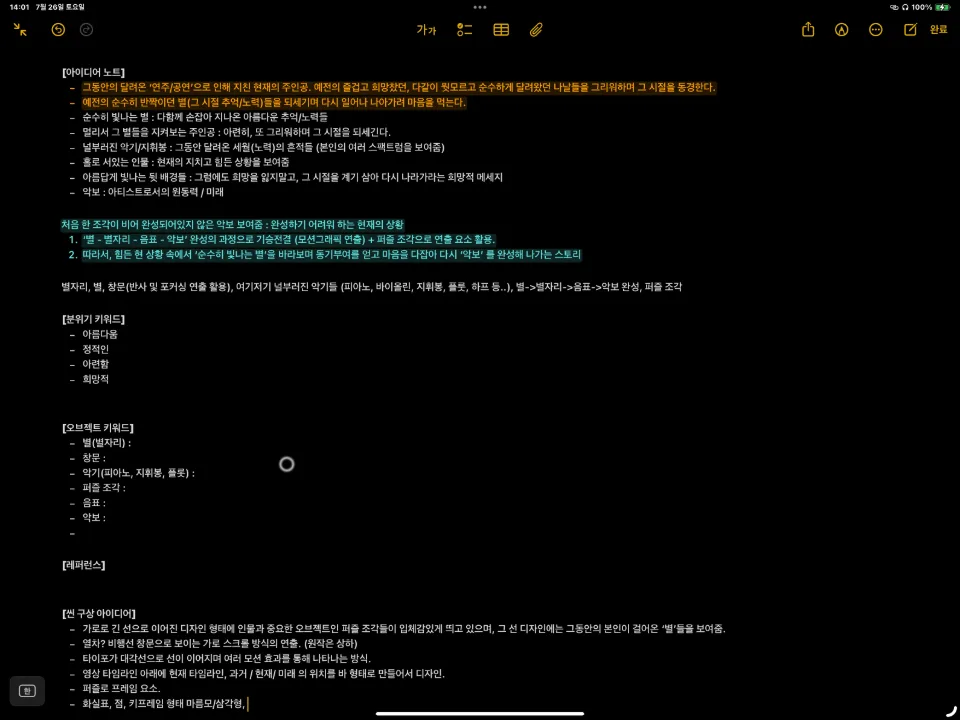
Racking my brain, I came up with all kinds of keywords and gave each one a meaning, and little by little a direction took shape.
I then worked out the keywords and scene structure in my idea notes, wrapped up the basic concept, and moved on to testing.
Process #1: Tests (visual mood / effects)
Testing, all of a sudden?
you might be thinking. I confidently said, “Maybe I can make it?”, but to be honest, I was worried about the limits of the Alight Motion app.
The app definitely has a lot going for it, but it can’t perfectly reproduce the way I used to make MVs in After Effects.
For example, because of performance, a single project shouldn’t have more than about 150 to 200 layers, and you shouldn’t use Copy Background (something like an Adjustment Layer in After Effects) more than three times.
On top of that, heavy footage, or even just a little of it, can be too much for the iPad (8GB of memory) to preview or render, the Group (= Pre-Comp) feature is weak, and the list goes on.
There are countless other problems I’ve run into over the past year of using it.
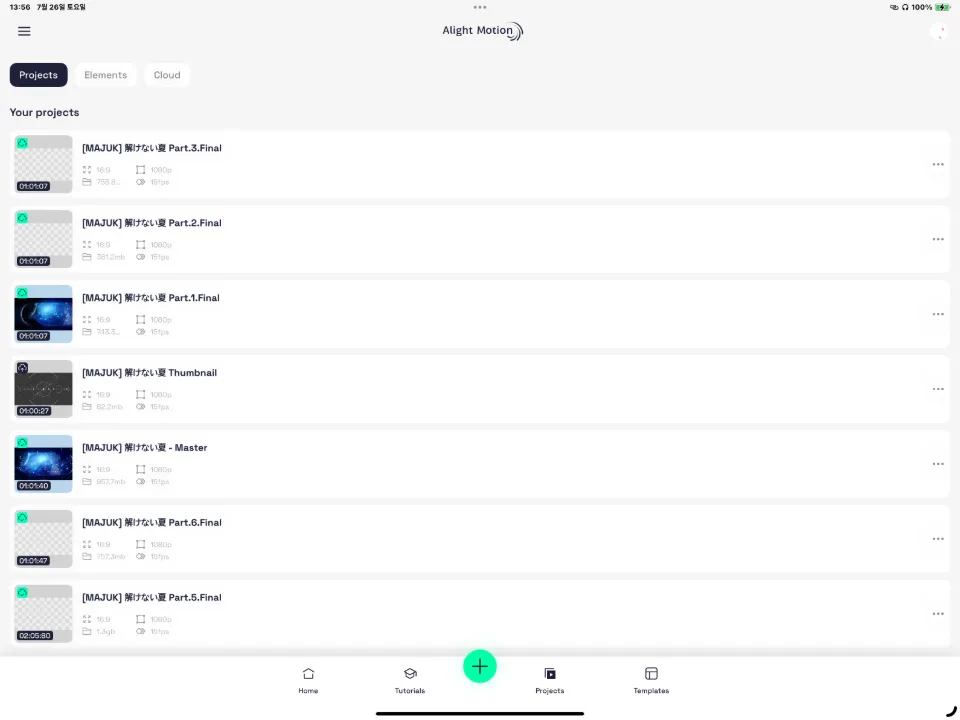
Apart from real-time autosave (which is truly the best), it naturally falls short of After Effects in a lot of ways, and lately I’ve often had to give up on ideas because of technical problems, even when I have plenty of them.
So I’ve added a tedious extra step: first checking whether what I want to do is possible even in a simple form, and if it isn’t, trying a different approach.
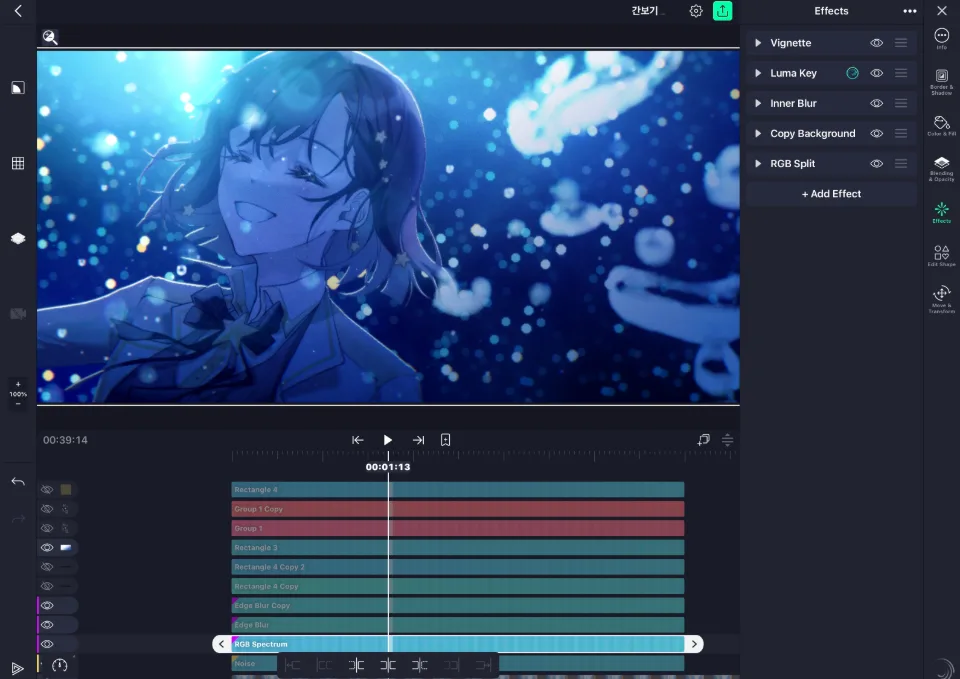
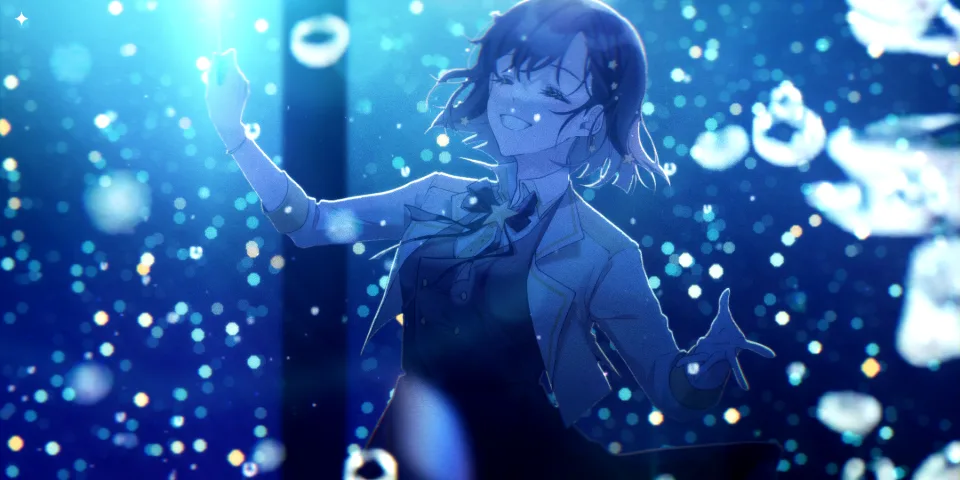
With no other choice, I spent 3 or 4 days starting with color grading on a placeholder illustration to see whether the overall mood would work, and experimented with combining various effects to find out whether I could get the looks I wanted.
Since performance also meant I couldn’t use much footage, I set a few missions for myself.
- Use only lightweight assets, and no more than 2 or 3 of them at most.
- Make every other effect and object myself.
- Heavier effects mean more load and more time, so reuse the objects I make in as many variations as possible.
In particular, to express the theme and mood of the video, I wanted to build it around two colors: a deep, dark blue and a bright, glowing sky blue.
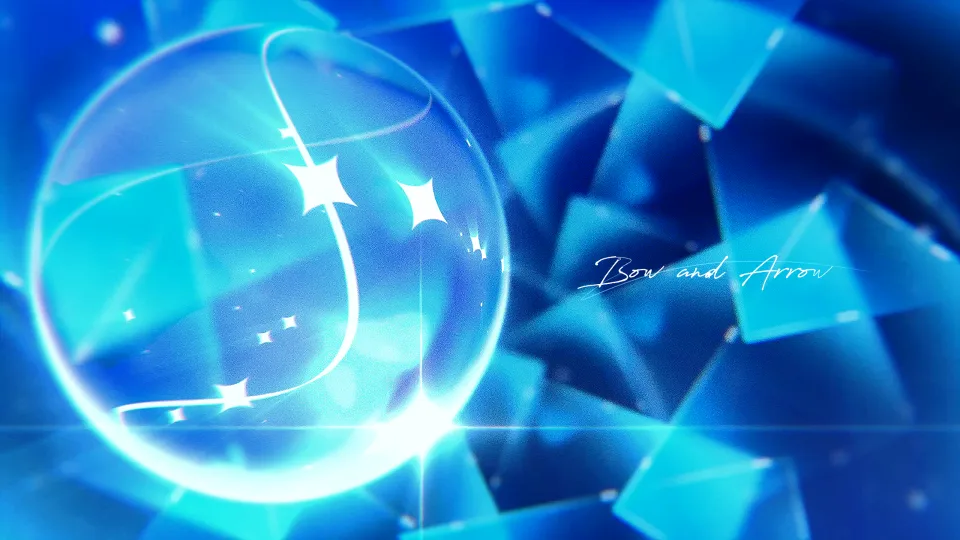
(I had already tried all sorts of effects in my previous piece, the “BOW AND ARROW” motion graphics video, so I wasn’t worried about making them.)
Process #2: Making objects + working on scenes
Then I started on the style frames for real.
I had a rough concept, but I wasn’t sure how to come up with the first scene and get started.
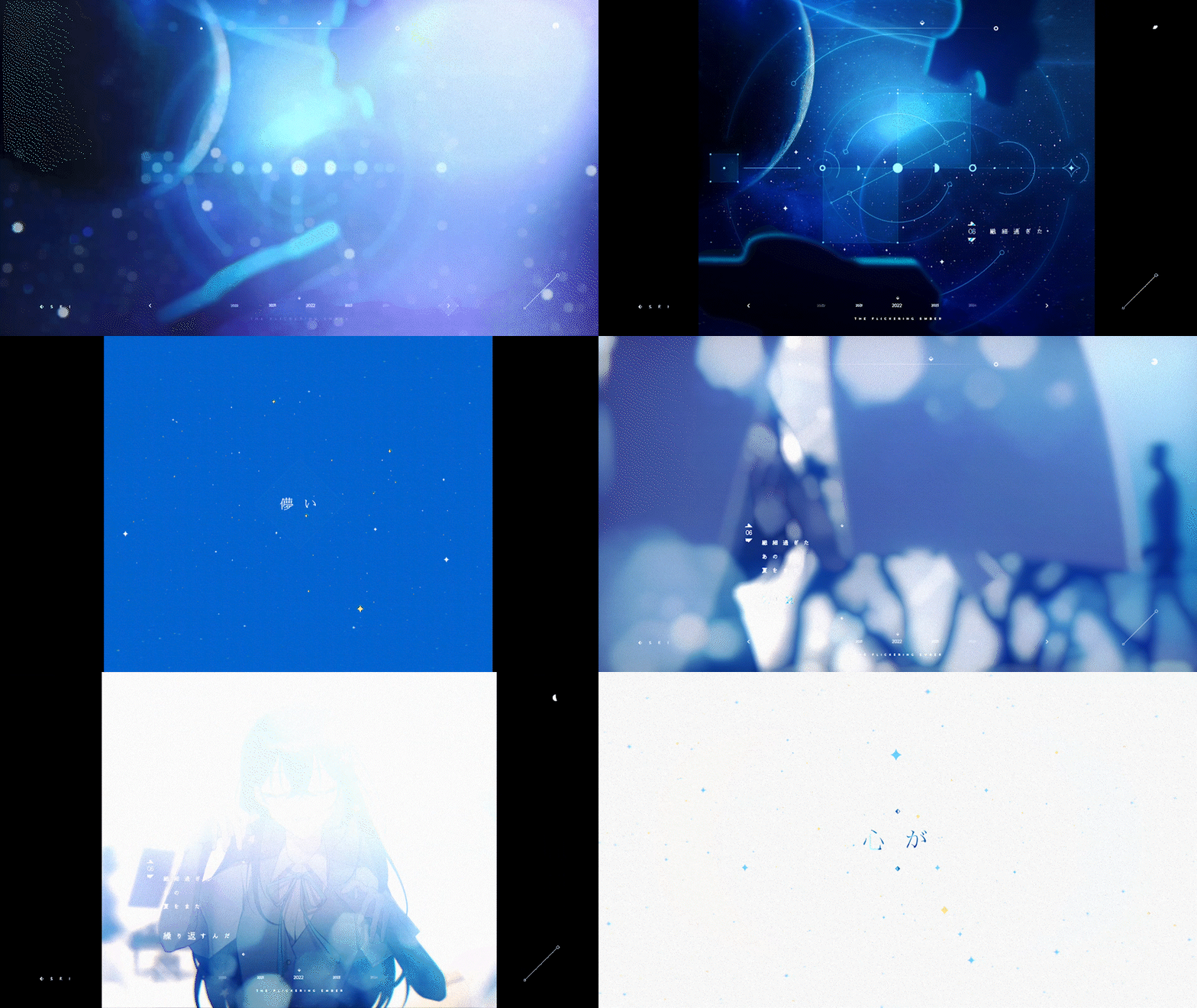
To bring the idea of “looking at the ‘stars’ outside through a window” to life, I based it on the “space” background I felt from the original video and the song, and pictured the protagonist aboard a spaceship.
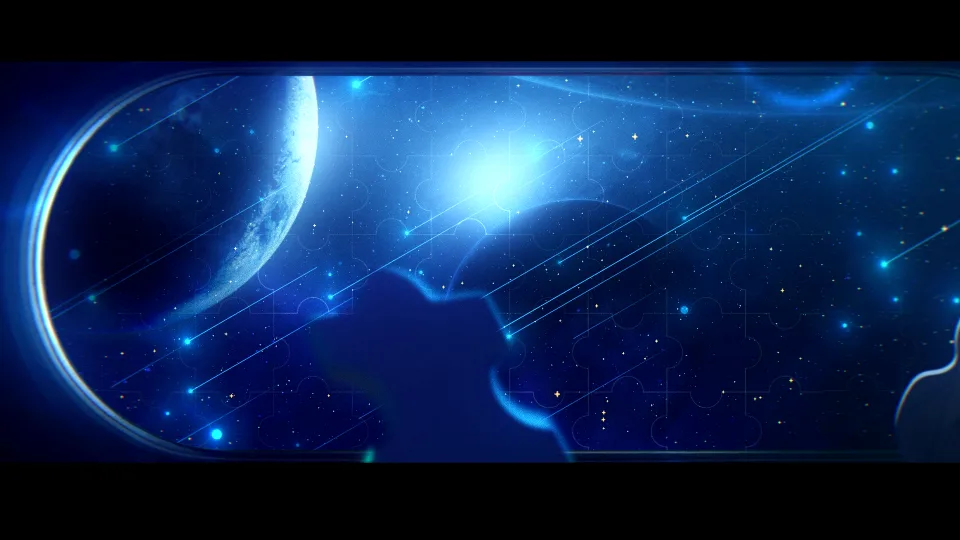
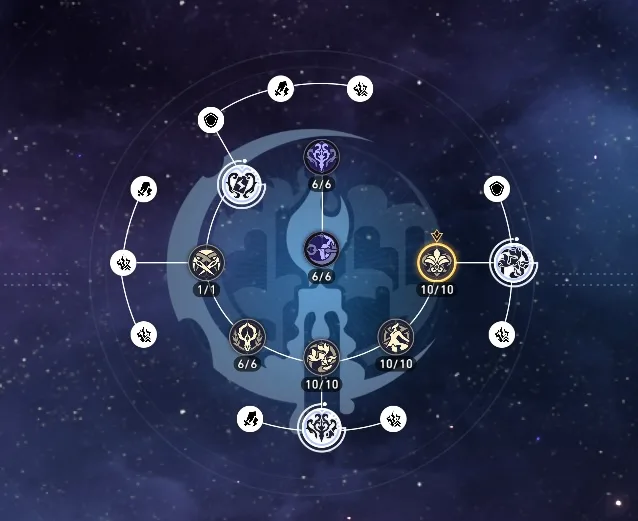
Once I made it, it reminded me a lot of the Astral Express in Honkai: Star Rail, a game I’ve been enjoying lately, so I took inspiration from the game’s design for the motion graphics objects used in the video.
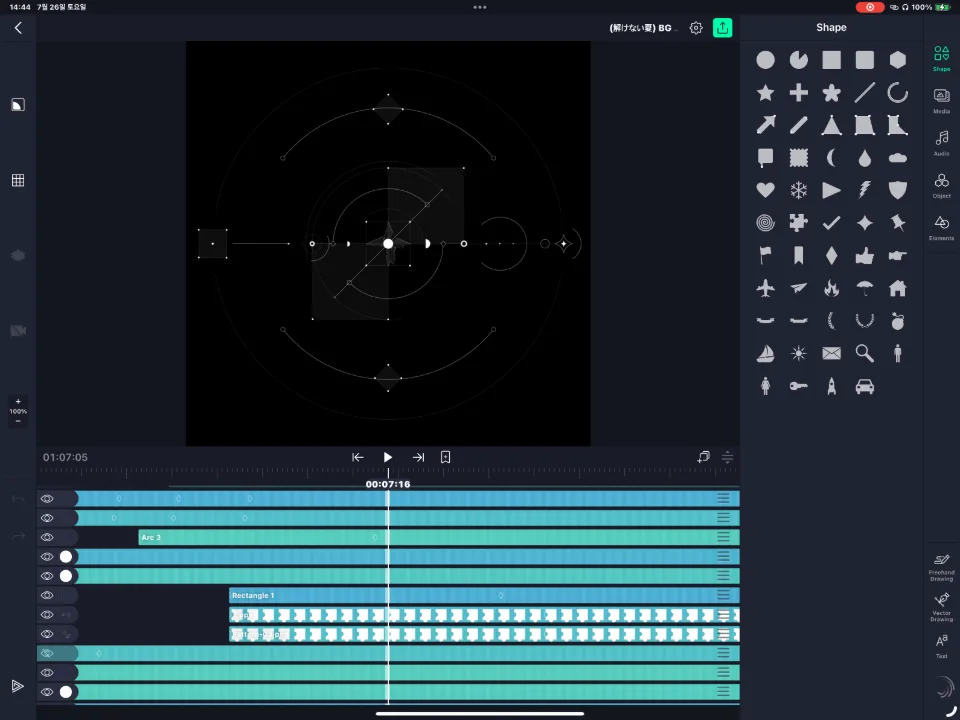
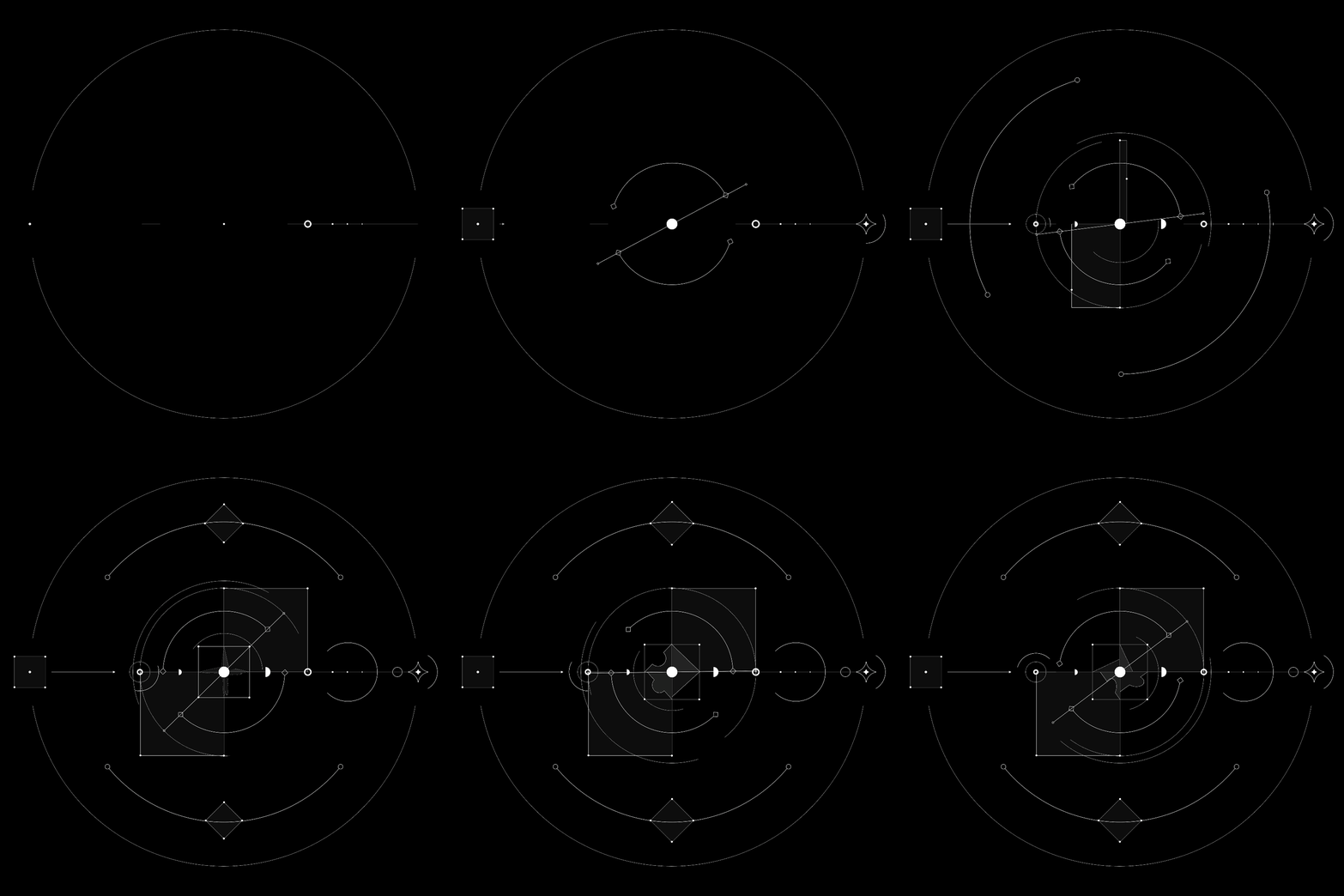
From the left, they represent “the beginning,” “the lost puzzle” in the center, and finally “the future.”
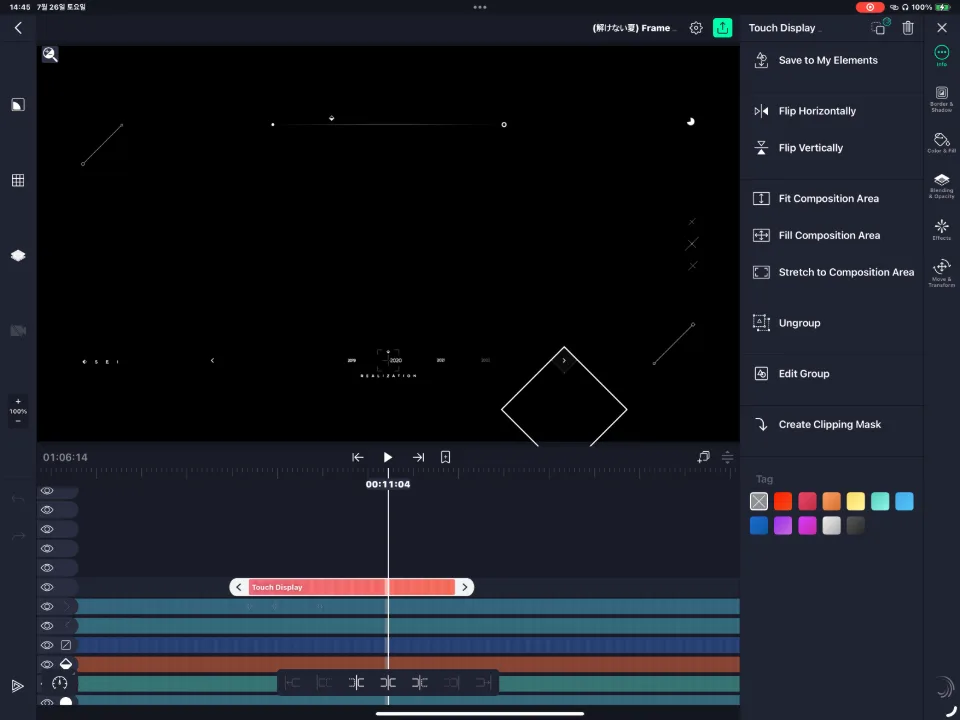
With the frame design used in the video, I showed the situation of each year, following the concept I had planned.
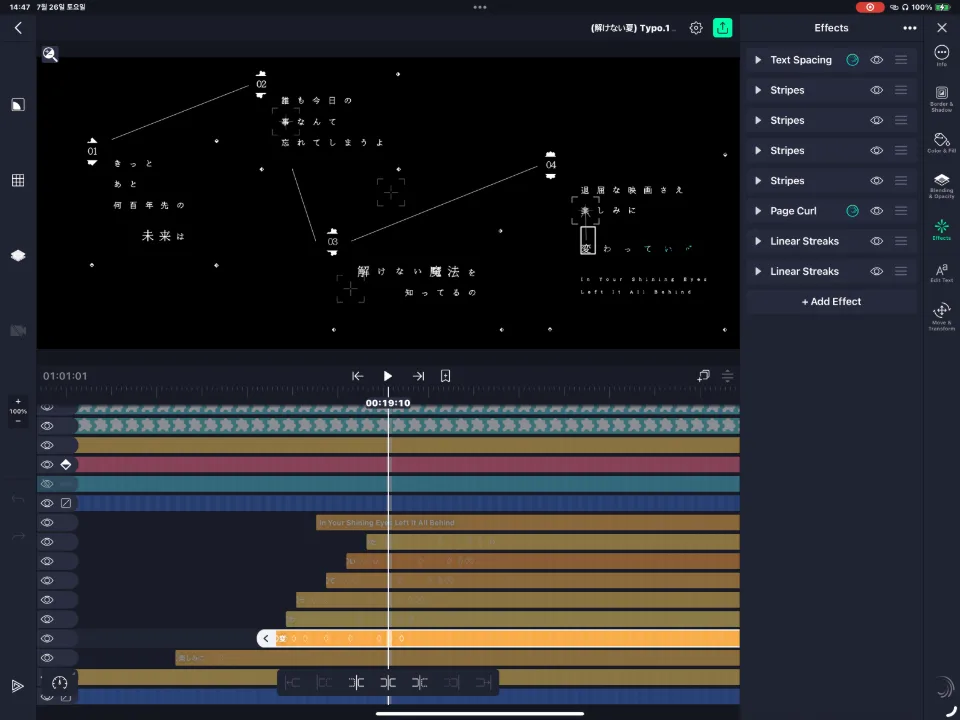
I also made the typographic motion graphics for the video.
Personally, this part was really tough…ㅜ
Alight Motion’s Text Transform feature is very limited: you can’t stack more than one, and you can’t even select by word, so I had to throw efficiency out the window, split everything up letter by letter, place each one, and apply the effects to each separately.
With the help of the many After Effects scripts, this wouldn’t have been a problem, but doing it on mobile was pretty inconvenient.
On top of that, a fatal flaw of Alight Motion is that when you make text smaller, the pixels don’t scale down naturally; they tend to be forced darker, so the letters look clumped together, and I couldn’t boldly shrink the text either.
This unwanted “forced heavy anti-aliasing” affects some other effects too, not just text, and it gives things a messy look.
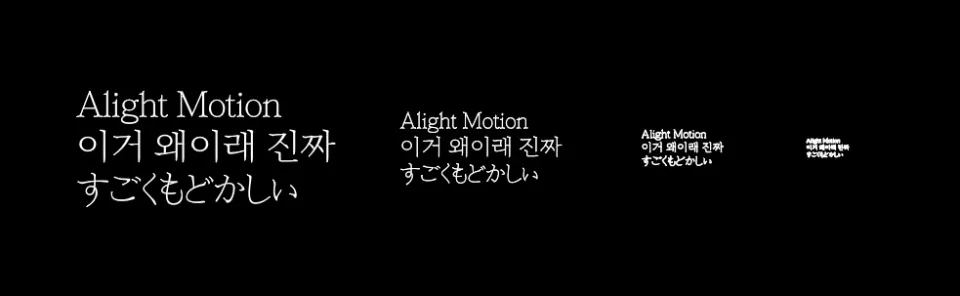
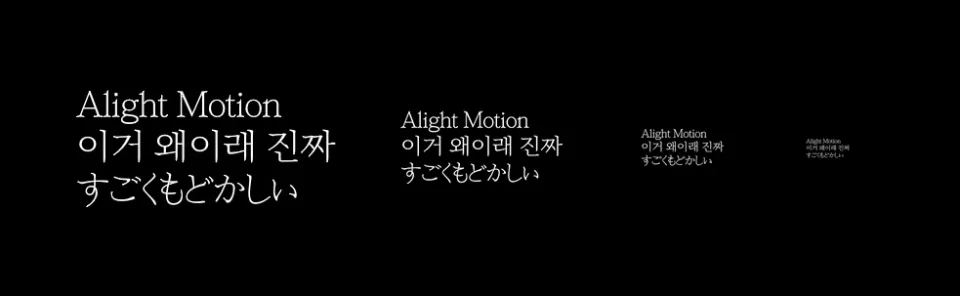
You can load fonts from files, but that’s unstable too, with some fonts breaking and plenty of other issues, so honestly it’s not a great app for typographic motion graphics.
In the end, I did have fresher, flashier ideas, but because of time I had to keep the design as simple as possible while making it blend into the video, and went with the style above.
Also, since there were a lot of small elements, I wanted a bokeh effect rather than a simple blur, but of course Alight Motion only has basic features like “Gaussian Blur”……
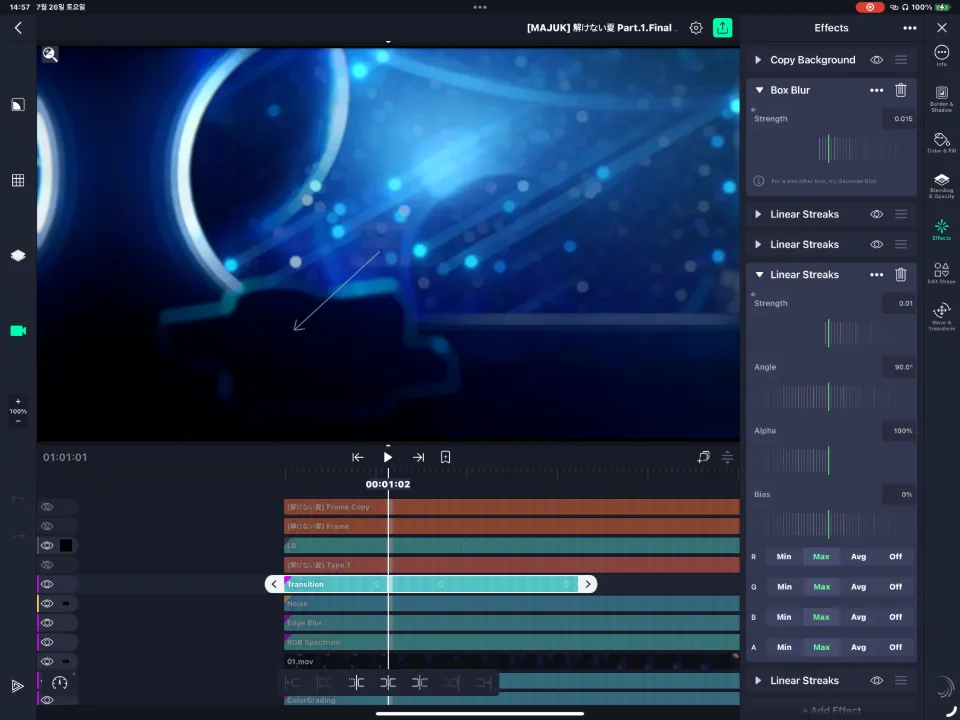
As in the image above, I stacked four “Linear Streaks” effects at different angles to make it look like bokeh.
To control the strength, I set it up so that a “Box Blur” effect is applied before “Linear Streaks.”
Honestly, this was the heaviest effect I’ve ever made.
Copy Background (← the load grows depending on which effects you add to it)
Box Blur (← the blur)
Linear Streaks (← heavy on its own, and I stacked four of them)
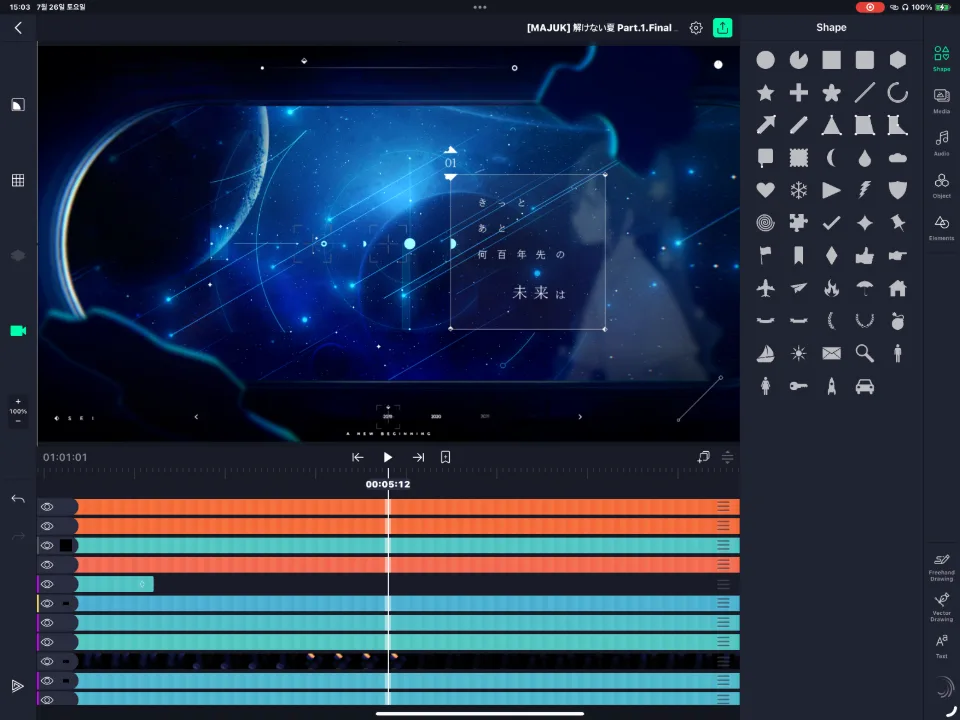
Anyway, I put in everything I had made so far and adjusted the color grading and visual balance bit by bit…
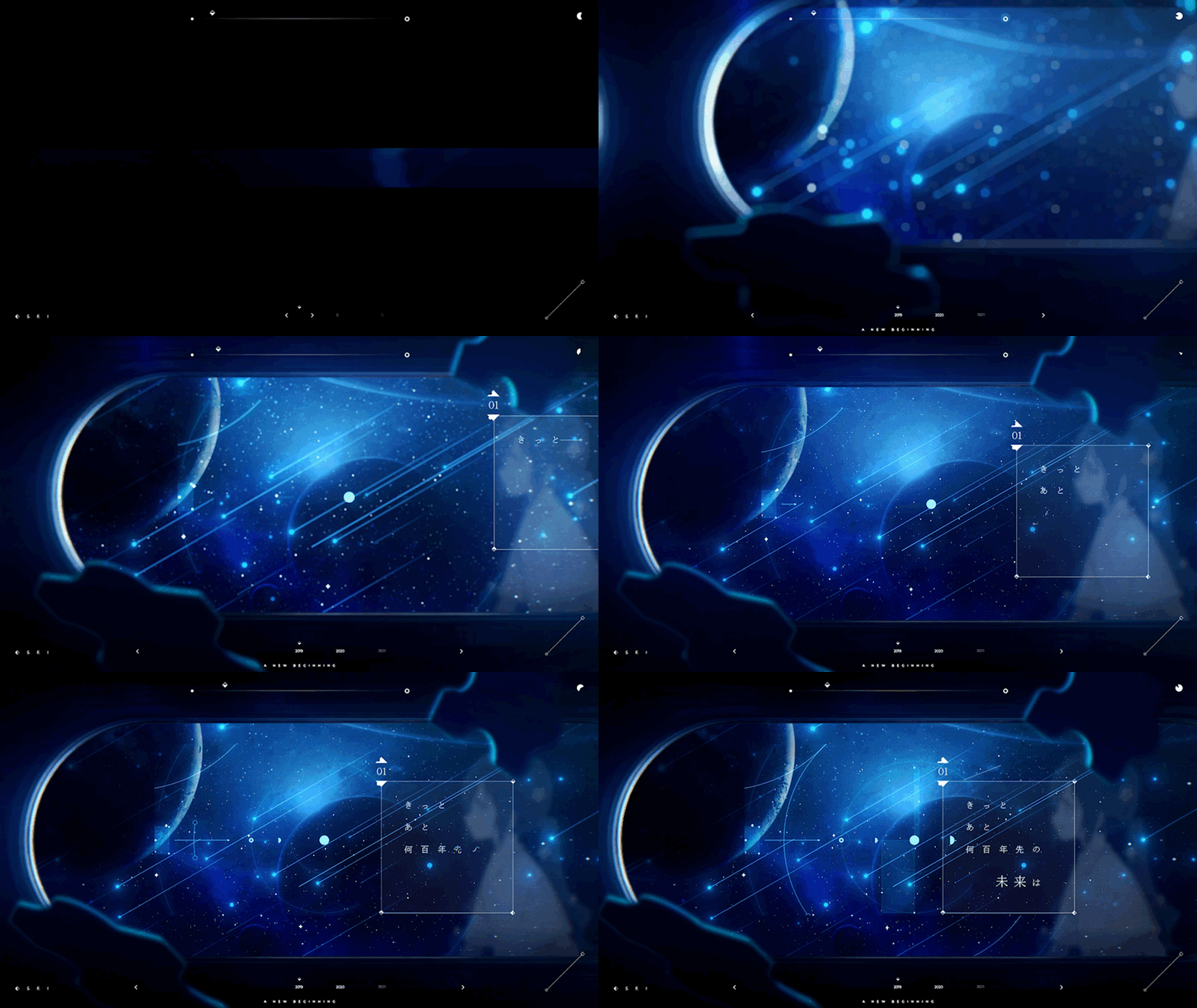
And I made it! I finished the hard-won first visual you see above.
The whole production took about 10 days, and I spent half of them making this one scene.
Since it was the first visual, I wanted to build it carefully even if I was short on time.
After finishing this one scene, everything went smoothly and quickly.
……Just kidding. Honestly, I got stuck a ton. Seriously.
If it’s this hard even on an M2 iPad, what am I supposed to do?
Process #3: Scene direction
But something still felt missing……
After that I kept working little by little in the same way, but I still felt something was missing.
Nothing in the direction made your heart swell, the wistfulness wasn’t coming through, and it lacked immersion, so I kept thinking about direction that could bring out the character’s emotions and situation more, and in the end
I landed on a very simple solution: inserting a “monologue” as cutscenes.
(By the time I came up with this, there were less than three days left until completion, so there was no time left to agonize over it.)
So, taking the added direction and situations into account, I decided on the following lines to tell the protagonist’s story.
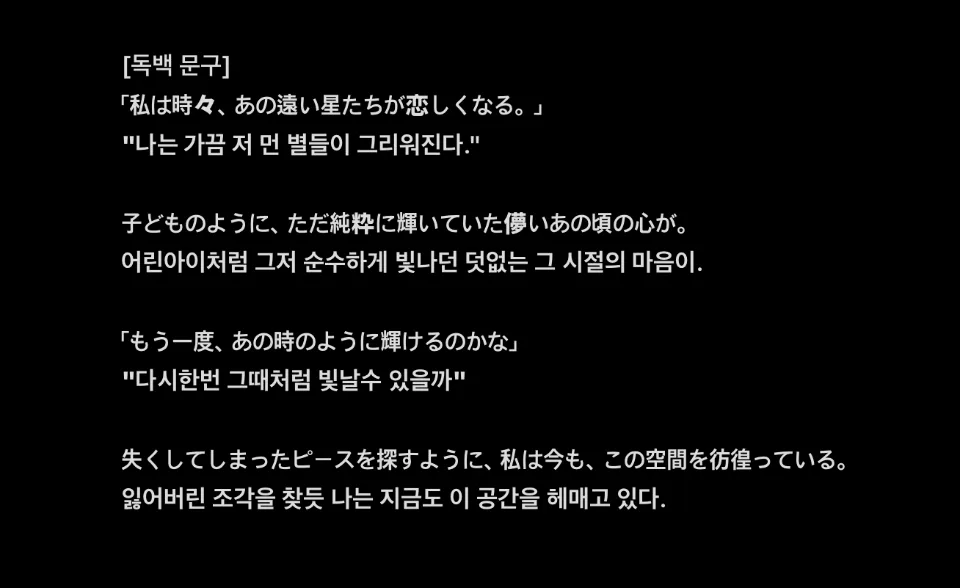
In the end, I deliberately left out the last line.
In the video, I considered the eye flow created by the layout of the preceding scene and gave each monologue cutscene its own design variation.
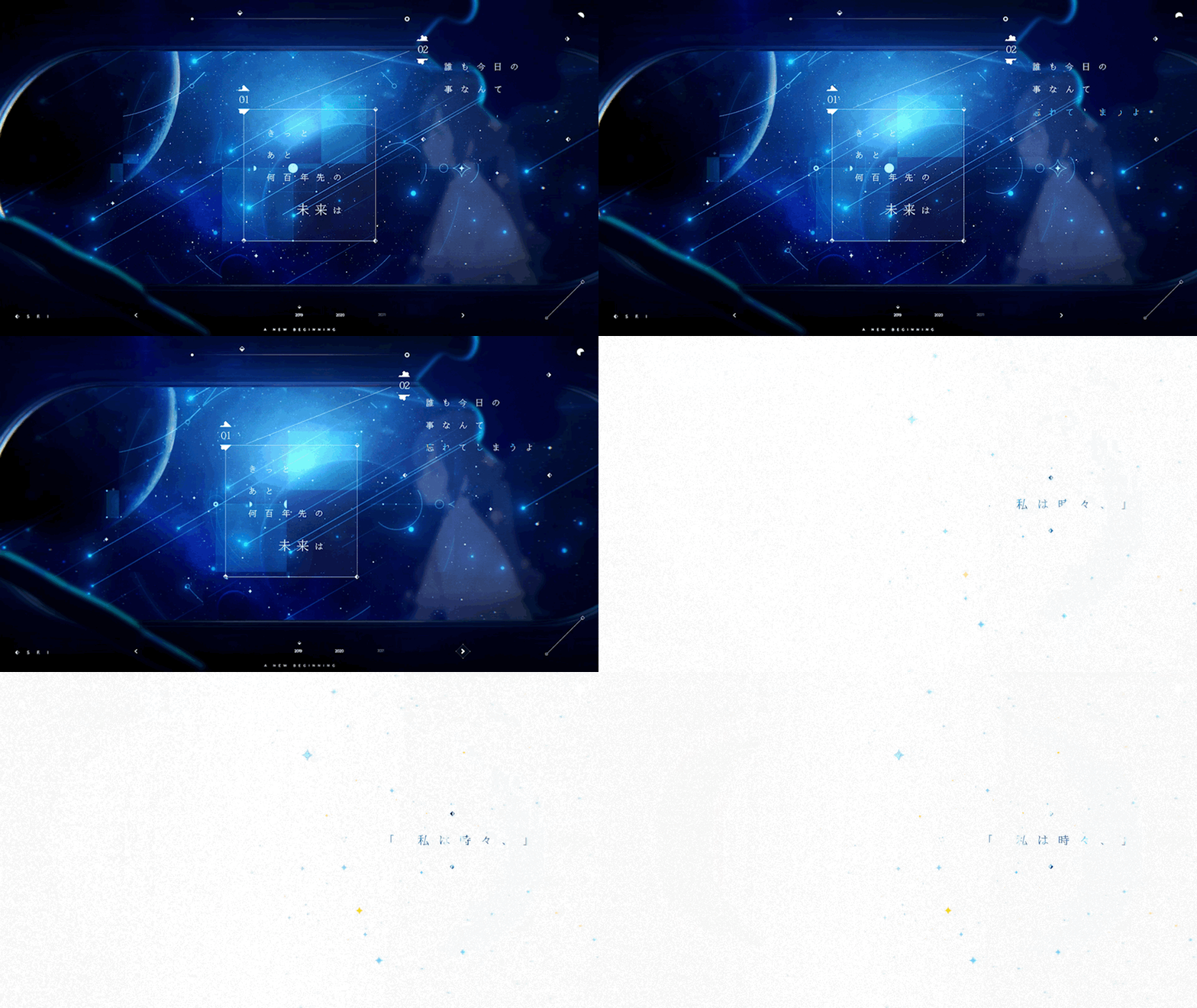
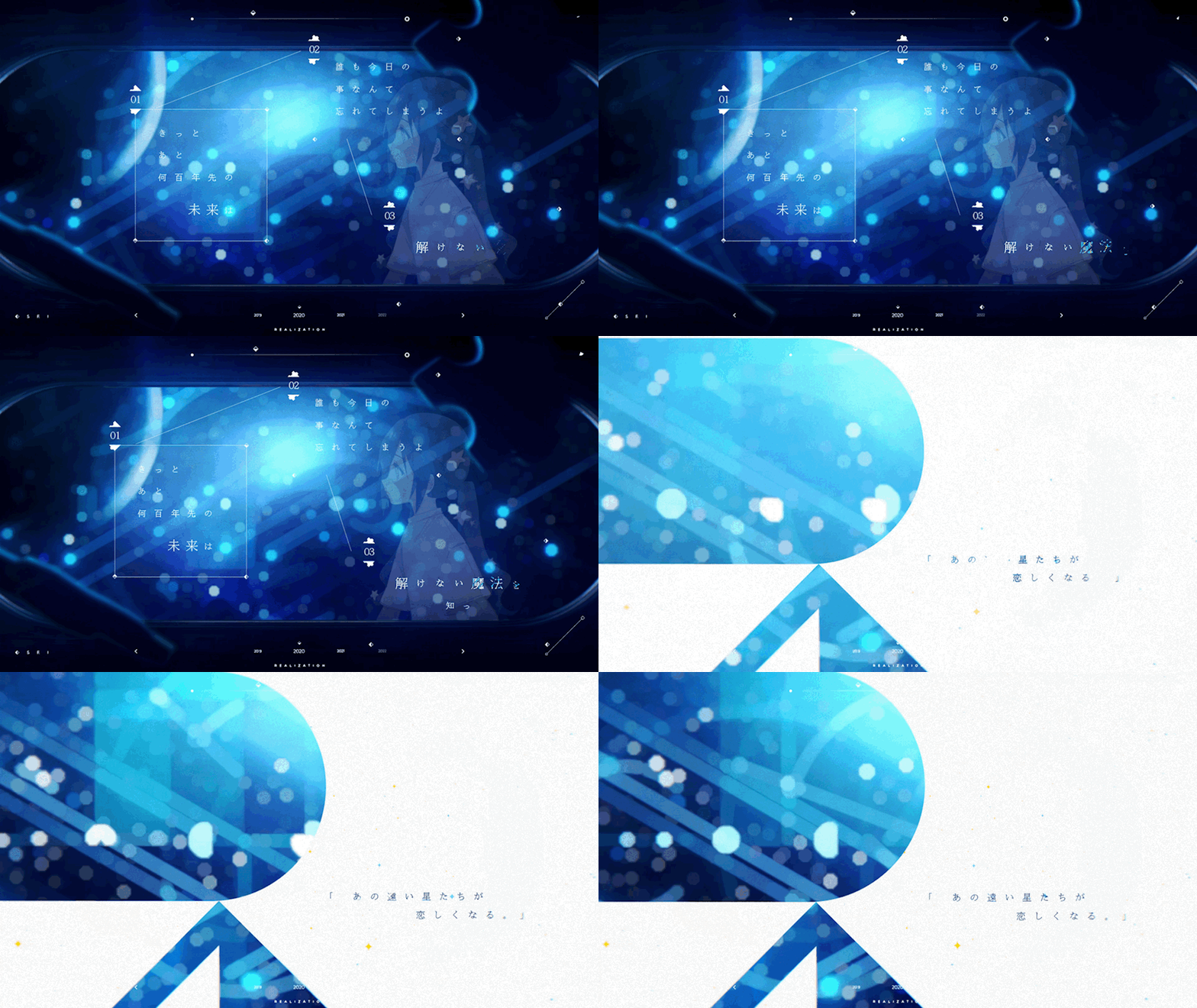
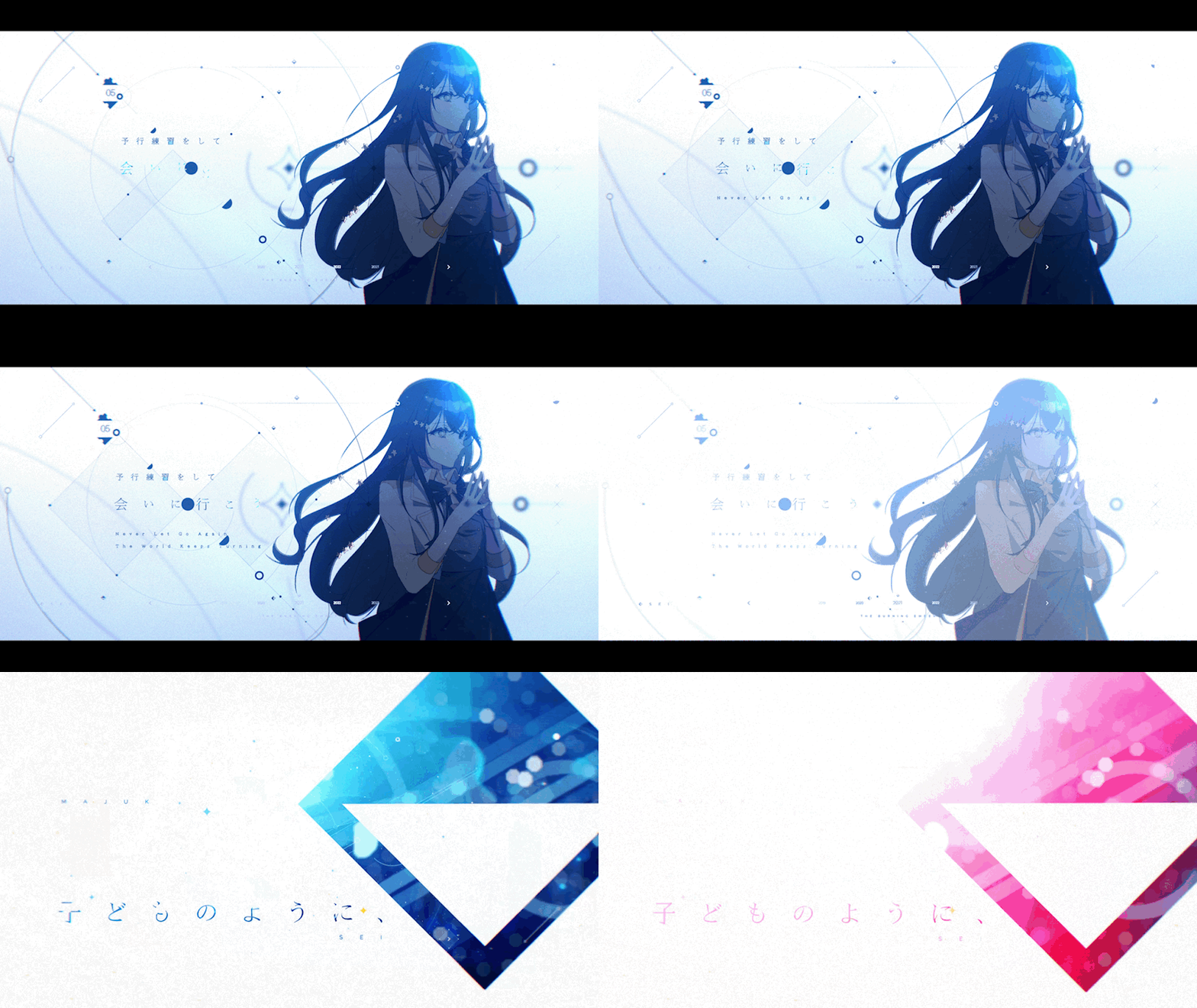
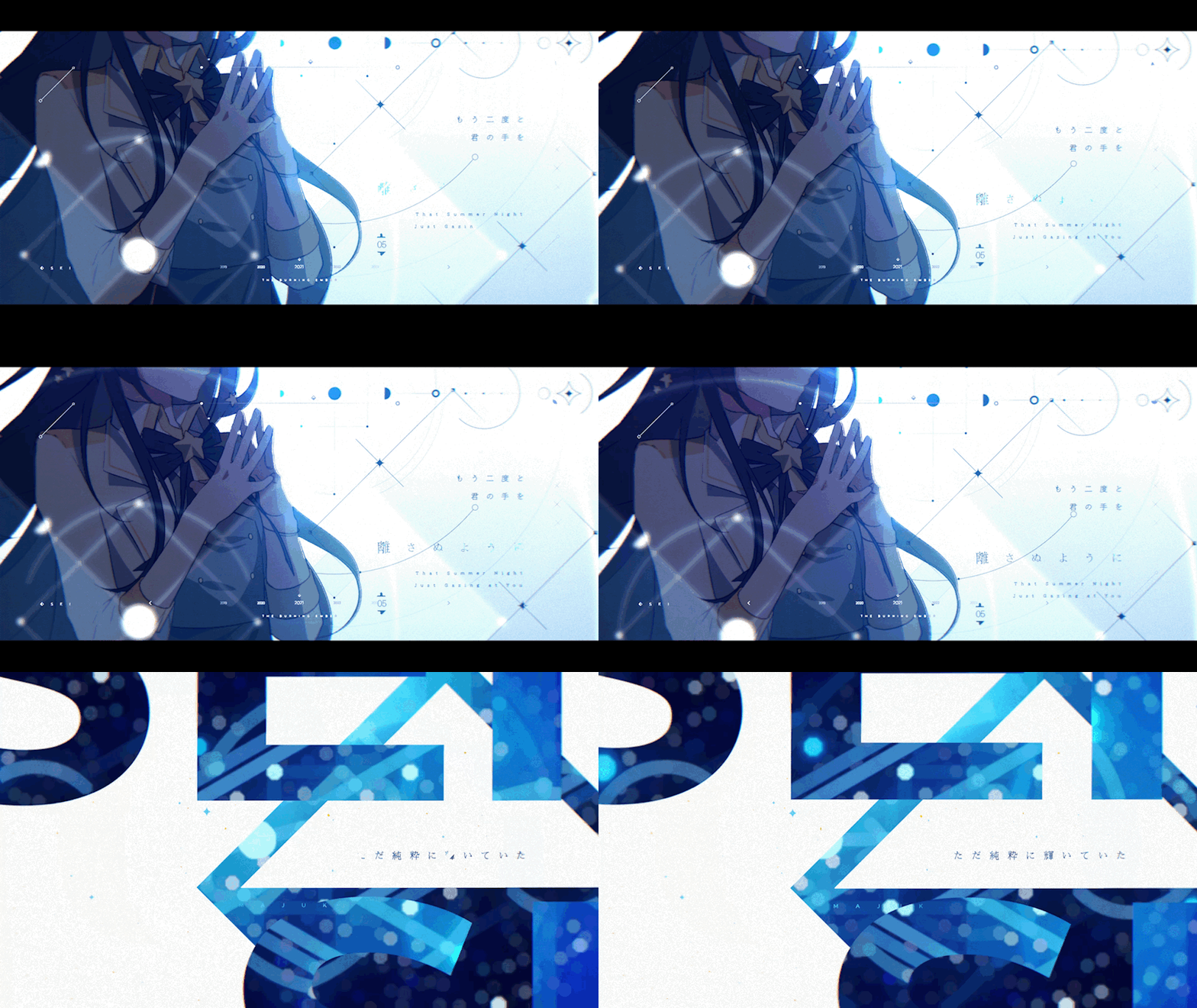
Once I added the monologue cutscenes, the video felt like it was building up more strongly as a whole.
So, to carry this rising mood firmly right up to the highlight and give the story a clear arc,
I wanted to put something striking right before the final highlight.
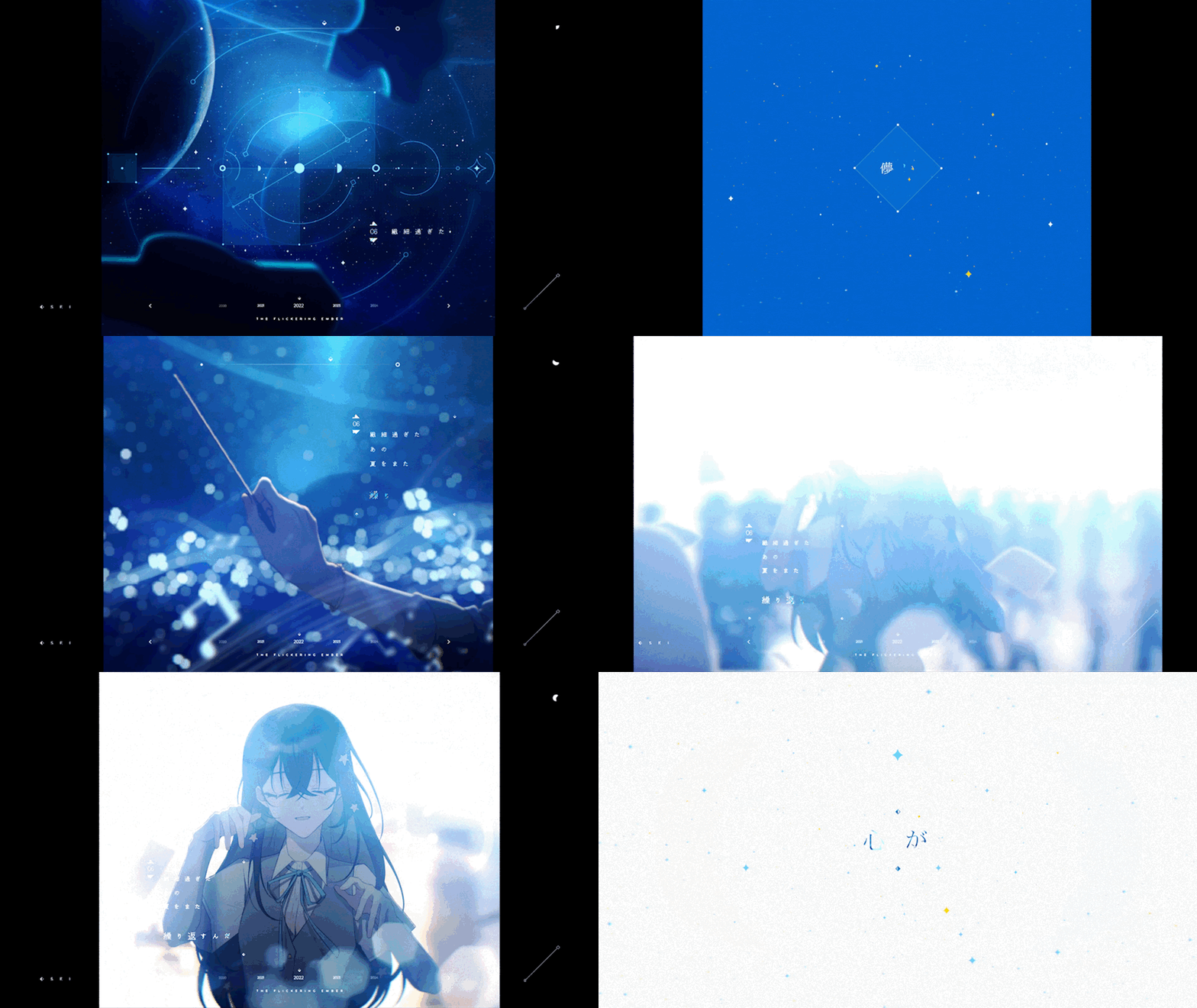
In moments like this, I often use “scene splitting,” a technique I’ve personally liked for a long time.
Each cut passes by quickly, so instead of cramming too much information into a single scene, I use them as “insert cuts,” which I think gives the whole video more variety and a stronger impression.
In a way, I think this is one of the biggest traits of my videos, and I love how the appeal of this kind of direction draws in not only the viewers but also me, the one making it.
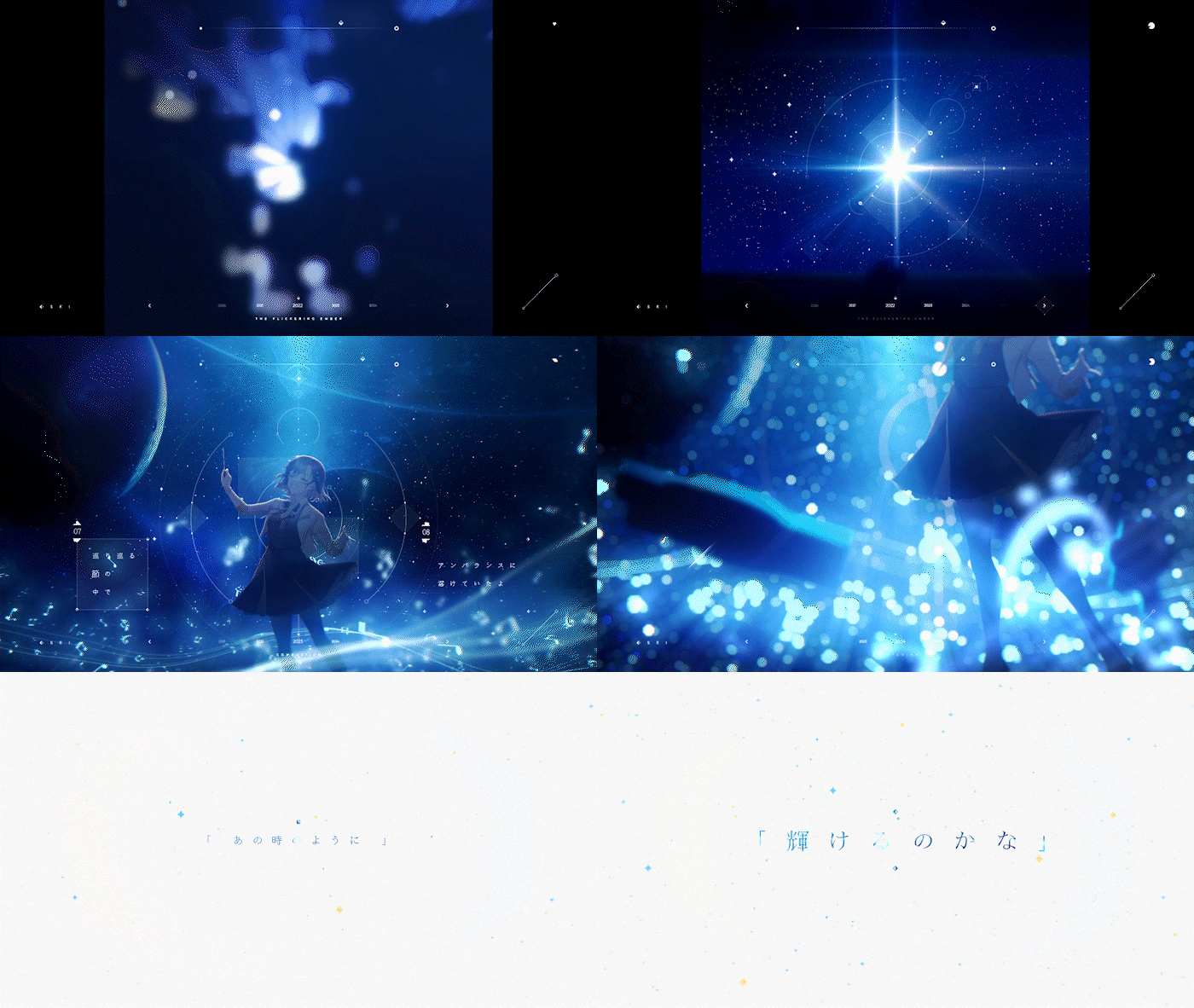
To make this effect stand out in step with the mood of the song, I set it up like this:
- Shrinking the letterbox to bring out the analog feel of “those days” even more
- Focusing on the character’s story through the motion of raising a baton
- Having people and sheets of paper rush past in front of and behind the character to symbolize all the effort and the journey so far
You could also pack a single cut densely to make it look flashy, but personally I believe that “the shorter a scene is, the less information you should cram into it.”
If you pack too much into a cut that’s over in an instant, the focus gets blurred, what you want to say doesn’t come across, and it just feels scattered and cluttered, which I think ends up hurting the quality and flow of the whole video.
Of course, I still have a long way to go, so I’ll keep studying……//ㅜ
Time was tight, so the highlight couldn’t have a lot of varied direction, but I was able to reuse scenes I had already made and add variations.
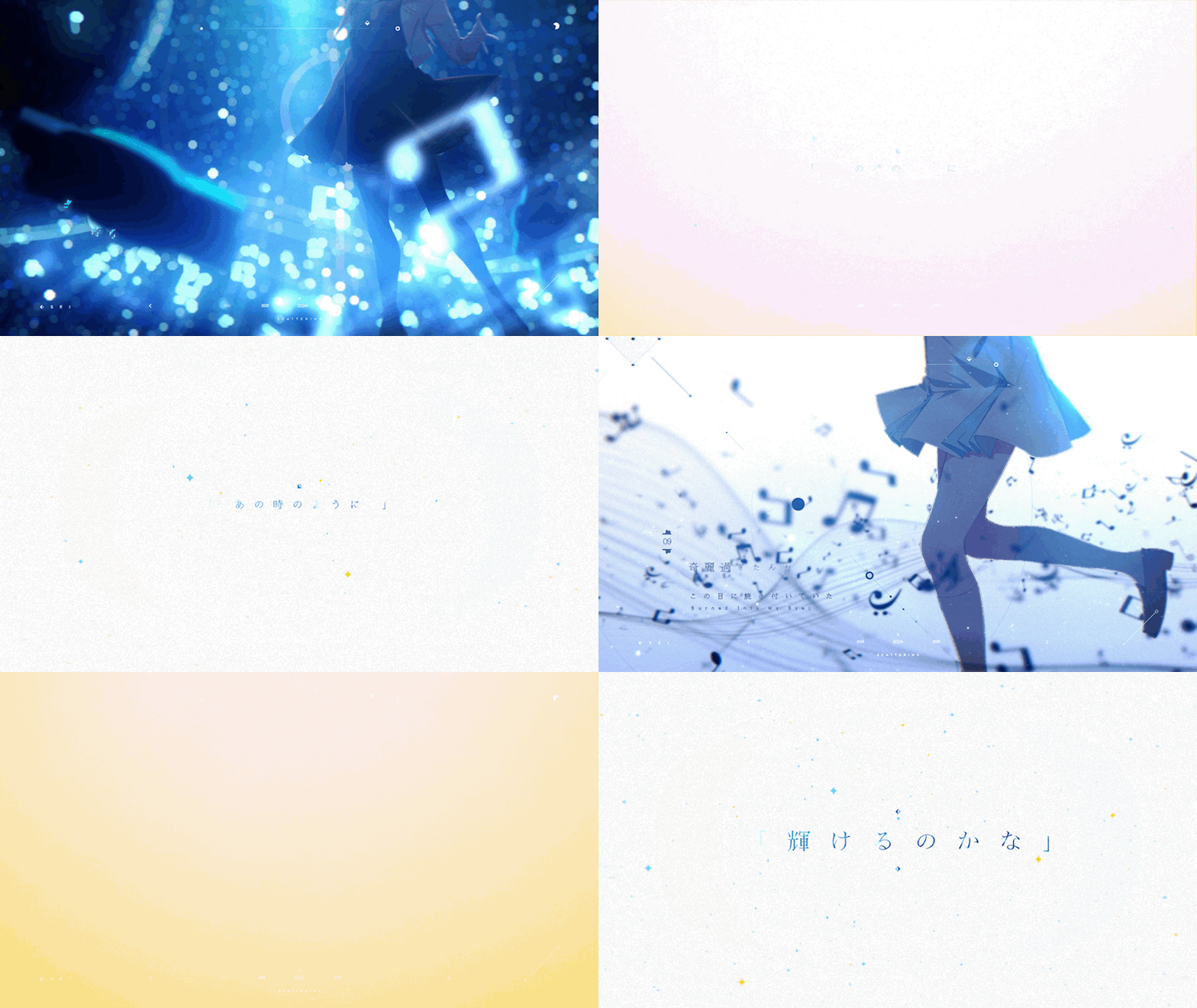
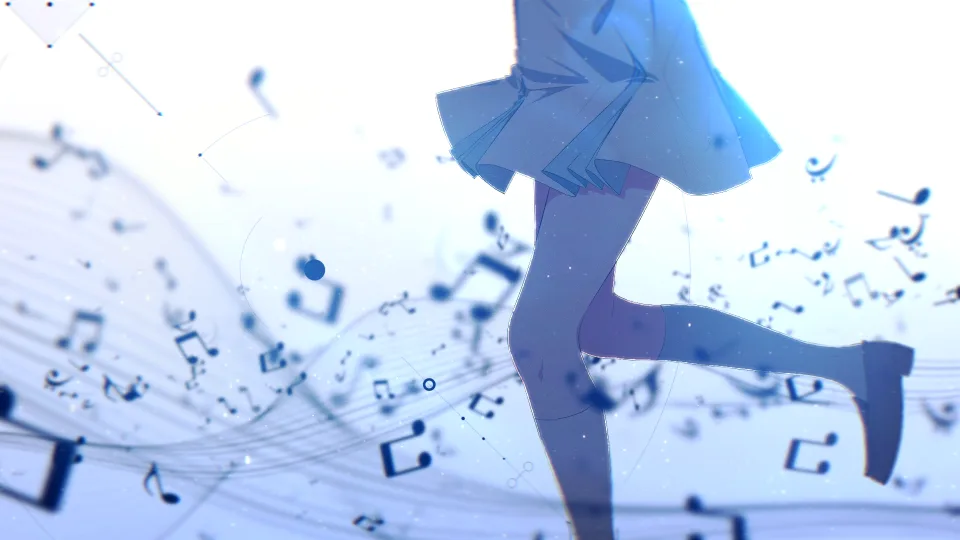
「もう一度、あの時のように輝けるのかな」
“Can I shine like I did back then, one more time?”
To give this monologue line the direction it deserved, the first shot shows the “present” self from the waist down, and the next shot shows the “past” self as a student running in a similar composition, so that the flow lets you look back on those shining days just as they were.
I’ve always aimed to make every single scene meaningful, and I think this video is an output that brought me at least a little closer to that goal.
Q&A
Q: How do you do color grading and lighting effects in Alight Motion?
A: I used the same principles as in After Effects! For the basic setup, I used an effect called “Copy-Background,” which works much like an Adjustment Layer, and applied the effects below to that layer for color correction.
- Color Tune: similar to Lumetri Color.
- Saturation / Vibrance: for adjusting saturation.
- Soft Glow: for spreading light softly, then tinting that light and blending it in.
Funnily enough, there’s also an effect called “Lens Flare” that gets close to the feel of “Optical Flare,” though not quite as good, so you can create subtle flare-like light with it too!
Q: Alight Motion often slows down, crashes and throws errors, which makes working hard. Is there a fix?
A: To be honest… there isn’t one…
As you said, once a project gets even a little heavy, the app force-quits when you touch a keyframe, change a text size or move a layer; that’s a given. Start a render and it immediately throws an error code and refuses to even try, or you preview it and the sound suddenly cuts out, or the video won’t play at all…
There are all kinds of problems, but I get by with simple workarounds.
- It force-quits a lot → Trust the autosave and restart the app dozens of times a day while working.
- Rendering stops with an error code → Spend days or weeks hunting down the layer causing it, and if there’s no answer in the end, compromise in tears.
- No sound in preview → Sometimes, if you close the app and reopen it, the sound plays for just the very first preview, so aim for that one chance.
- It’s too heavy to preview at all, so you can’t work → Just render, check, fix, and render again, in an endless loop.
- Mysterious phenomena happen for no clear reason → This must be a performance issue or some layer causing trouble too, so hunt down the culprit with everything you’ve got.
Q: I need to make something while learning video, but I don’t know what to make.
A: I think the best thing is to make something that moves your heart!
At first, it’s fine to start with copies (recreating reference works) for practice. Of course, simply copying something as it is isn’t great, so focus on learning the technical theory and feel, and for your actual work, I recommend practicing building up your concept step by step from whatever inspired you.
For example, “I got hooked on a song and wanted to make a video with it,” or “I was moved by an anime and wanted to make a video about it.”
I think it’s really important to start from something that moves you like that.
Above all, having that kind of motivation makes it much less likely that you’ll lose interest and quit halfway.
So the subject really can be anything; I think what matters most is having the passion to see it through to the end!
Q: How do you get inspired and come up with ideas for your videos?
A: If you’ve read this whole post, you may have picked up on it to some extent already.
This may be sudden, but I really think I’m a “simple person.” My mind isn’t especially quick, and honestly I’m not good at thinking through complicated things logically or building them up systematically.
I’m the type who simply makes things the way my heart moves me.
Listening to music or taking in a theme, I express in video what I feel after going through it dozens, even hundreds of times.
When I first start on a piece, rather than visual elements like “let’s make it look like this” or “let’s use this design,”
what I value most is “how I felt” and “what mood, emotion or feeling it came across as.”
I often imagine, “If I were the protagonist of this song or theme, how would I feel?” and plan while projecting myself into it more deeply.
I feel that this “excessive immersion” is what naturally brings up all kinds of ideas and directions.
Of course, I know that relying on my own simple senses and emotions runs the risk of going off course.
That’s why, along with “what I felt,” I always keep in mind “whether it will reach the hearts of the people watching this video,” and try to make my work from as objective a viewpoint as I can.
Wrapping up…
Looking back at my own video…
Honestly, there’s still a lot I fall short on, and I feel the direction this time was a bit cliché too. There are parts where I think I could have done something newer and more memorable, and maybe because I compromised along the way and gave up on several ideas and structures, the overall design and visuals feel a little lacking as well.
Even so, I strangely have a special attachment to this piece. Compared with my earlier work, I feel it came closest to my own thoughts and beliefs about video.
While in the military, I rewatched the videos I had made many times, and at the same time kept watching hundreds, even thousands of other creators’ works, and I began to wonder, “Why is there no heart in my videos?”
Back then, I used my circumstances as an excuse and had gotten used to compromising with myself while making videos, so honestly, there wasn’t a single piece I was truly happy with.
Of course, I don’t think this piece is perfect either. But at least it carries my honest feelings and thoughts, and that’s why it’s a video I want to watch again and again.
I also feel the overall structure and flow came together fairly well, and I’m proud that I managed to finish it properly within the limited time.
It’s already been a year since I started my military service, and I have about six months left,
and I feel I’ve spent this time thinking about a lot of things and trying hard to learn.
With the times changing so fast, even though I can’t take on anything directly right now,
I’ve thought a lot about what I need to work harder on to keep up with how things are moving,
starting with finding what I lack and fixing it, so that I don’t fall behind even a little.
Looking back now, if I hadn’t started my military service, I might never have stopped to take a hard look at myself like this.
Having more time gave me more room in my mind as well, and it became a chance to grow, even if only a little.
In the videos I make from now on, I want to put in even more care and heart than before,
so that these feelings and my honest thoughts come through, even a little.
I’m also hoping to keep writing behind-the-scenes posts like this from now on.
Actually, I felt the same way three years ago, but in the end laziness won…
This time, though, I think I can keep it up.
It was a rambling, clumsy piece of writing, but thank you so much for reading this far.
If there’s anything you’re curious about, or you’d like to hear the story behind other works, I’d be happy if you mentioned me anytime by email or on X (formerly Twitter).
Thank you for your continued support!
- TEMACA